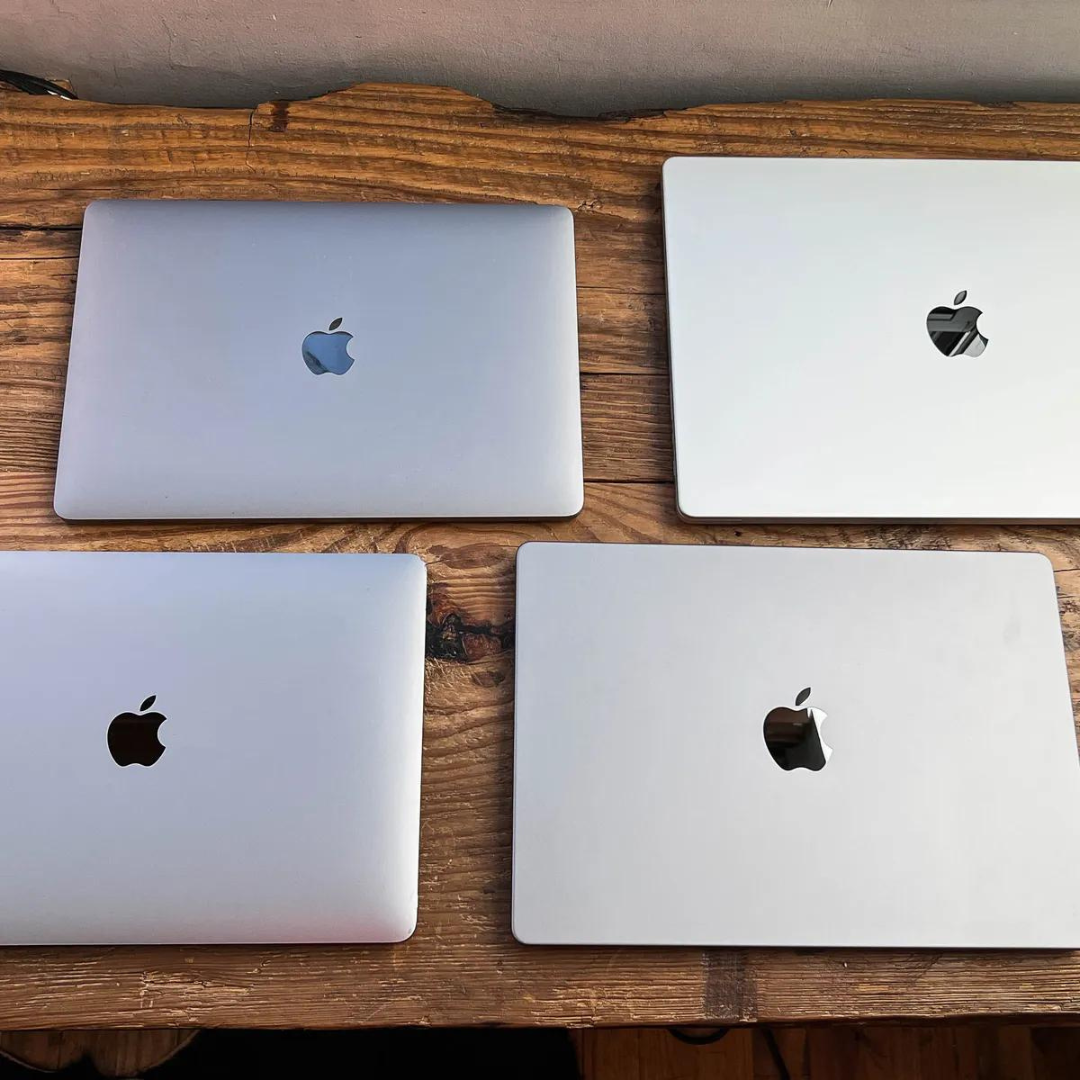
Apple’s MacBook Pro is now firmly an Apple-silicon workstation rather than the Intel-era laptop described in older buying guides. In 2026, the current professional lineup centers on M5 Pro and M5 Max configurations, with the 14-inch family also offering an M5 option. The right choice depends less on buying the highest specification and more on matching CPU/GPU capability, memory, storage, external-display support and battery needs to your actual workload.
MacBook Pro in 2026: the key facts
| Area | What matters in 2026 |
|---|---|
| Sizes | 14-inch and 16-inch professional configurations |
| Chips | M5 Pro and M5 Max; 14-inch models also include M5 configurations |
| Display | Liquid Retina XDR with ProMotion up to 120Hz and up to 1600 nits peak HDR brightness |
| Memory | Unified-memory configurations vary by chip, reaching 128GB on supported M5 Max configurations |
| Storage | Current configurations start at 1TB or 2TB depending on chip and can reach 8TB on supported models |
| Connectivity | Thunderbolt 5 on M5 Pro/Max models, HDMI, SDXC, MagSafe 3 and headphone jack |
| Battery | Apple rates current models for up to 24 hours of video streaming depending on configuration |
What changed from older MacBook Pro generations?
The biggest change is architectural. Current MacBook Pro models use Apple silicon throughout the lineup; advice about choosing between Intel and Apple processors is obsolete. Apple announced M5 Pro and M5 Max MacBook Pro models in March 2026, adding stronger AI acceleration, faster storage and updated wireless connectivity.
That matters when comparing older used models with a new machine. An older MacBook Pro may still be suitable for everyday development or creative work, but buyers should compare the exact chip generation, memory and workload rather than treating “MacBook Pro” as one performance class.
M5 Pro vs M5 Max: choose for the workload
M5 Pro is the more balanced option for many professional workflows: software development, large codebases, photography, music production and substantial video work. M5 Max is aimed at workloads that can use significantly more GPU capability, memory bandwidth and memory capacity, such as demanding 3D, visual effects, large local AI workloads and high-end video pipelines.
Do not pay for M5 Max simply because it is the top tier. If your applications rarely stress GPU resources or large unified-memory pools, storage or memory upgrades on a Pro configuration may deliver more practical value.
Display: one of the strongest reasons to choose MacBook Pro
The current Liquid Retina XDR display supports ProMotion adaptive refresh rates up to 120Hz, P3 wide color and True Tone. Apple specifies up to 1600 nits peak brightness for HDR content and up to 1000 nits SDR brightness outdoors. A nano-texture option is available for buyers who regularly work in bright or reflective environments.
For creators, the important point is not simply resolution. HDR capability, color handling and refresh behavior can materially affect photo, video and design workflows.
Memory and storage should be decided before purchase
Unified memory is part of the Apple-silicon architecture, so buyers should size it around the expected lifetime of the machine. Current M5 Pro and M5 Max configurations offer multiple memory tiers, with supported M5 Max configurations reaching 128GB. Storage varies by configuration and can reach 8TB.
Developers running several containers or virtual machines, creators working with large media timelines, and teams experimenting with local AI models should estimate real peak memory use rather than relying on generic recommendations.
Ports and external displays
Current M5 Pro and M5 Max models include three Thunderbolt 5 ports alongside HDMI, an SDXC card slot, MagSafe 3 and a 3.5mm headphone jack. This is much more practical for professional desks than the USB-C-only period of earlier MacBook Pro generations.
External-display capability differs by chip. Apple’s current specifications should be checked against the exact configuration if a workstation depends on several high-resolution monitors.
Battery life and mobile performance
Apple rates current MacBook Pro configurations for as much as 24 hours of video streaming, although actual runtime depends on the model and workload. Intensive compilation, rendering, GPU work and high display brightness will consume substantially more power than video playback.
The more useful buying question is whether you need workstation-class performance away from a desk. If most heavy work happens at a fixed workstation, compare the MacBook Pro with desktop options such as the Mac Pro rather than paying for portability you rarely use.
Who should buy a MacBook Pro?
MacBook Pro makes the most sense when professional workloads justify its sustained performance, XDR display, memory options or connectivity. Typical fits include software engineers with demanding local environments, video and motion professionals, photographers working with large libraries, audio professionals and technical users who need strong mobile GPU or AI capability.
For office work, browser-heavy workflows and lighter development, a less expensive Mac may be sufficient. The “Pro” label should describe the workload requirement, not simply the preference for a premium laptop.
2026 buying checklist
- Choose 14-inch for portability or 16-inch when screen area and sustained mobile workstation use matter more.
- Choose M5 Pro for balanced professional performance; move to M5 Max when GPU, memory bandwidth or large unified-memory requirements justify it.
- Size unified memory for the heaviest realistic workflow because it is not a conventional user-upgradeable RAM module.
- Estimate local storage needs, but include external Thunderbolt storage and cloud workflows in the decision.
- Verify external-display requirements against the exact chip configuration.
- Compare the total configuration price with desktop alternatives if portability is not essential.
Authoritative sources
MacBook Pro remains a strong professional laptop in 2026, but its value depends on configuration discipline. Start with the workload, identify the memory, GPU, display and storage constraints, and then buy the lowest configuration that comfortably clears those requirements.

Leave a Reply